Why Every Developer Should Keep a Local AI Model
August 9, 2026 • 0 minute read •
AI has become part of the everyday developer workflow. We use it to explain unfamiliar code, sketch APIs, review errors, transform data, write documentation, and plan implementation work.
Most of those workflows depend on a model running somewhere else. If the internet connection, provider, account, or regional endpoint fails, the capability disappears even though your laptop and phone are still working.
Keeping one local AI model available gives you a practical fallback. It does not need to replace your preferred cloud model. It only needs to remain useful when the primary option is unavailable or unsuitable for the data in front of you.
The Hidden Dependency in AI-Assisted Work
A cloud assistant depends on more than the editor or chat interface you can see. A typical request needs:
- A working local internet connection
- A functioning network provider and DNS path
- An available model endpoint
- A working authentication system
- An account in good standing
- Continued service in your country or region
An interruption anywhere in that chain can block the request. If you want a refresher on the systems behind that chain, start with how the internet works.
Cloudflare recorded more than 170 major internet outages around the world during 2025. Its annual connectivity review lists government-directed shutdowns, cable damage, power failures, extreme weather, cyberattacks, fires, and ordinary technical faults among the causes.
Developers already plan for dependency failures in production. We cache static assets, back up databases, mirror packages, save documentation, and avoid making one service responsible for every critical path. Personal AI tooling deserves some of the same thinking.
A Local Model Is a Fallback Environment
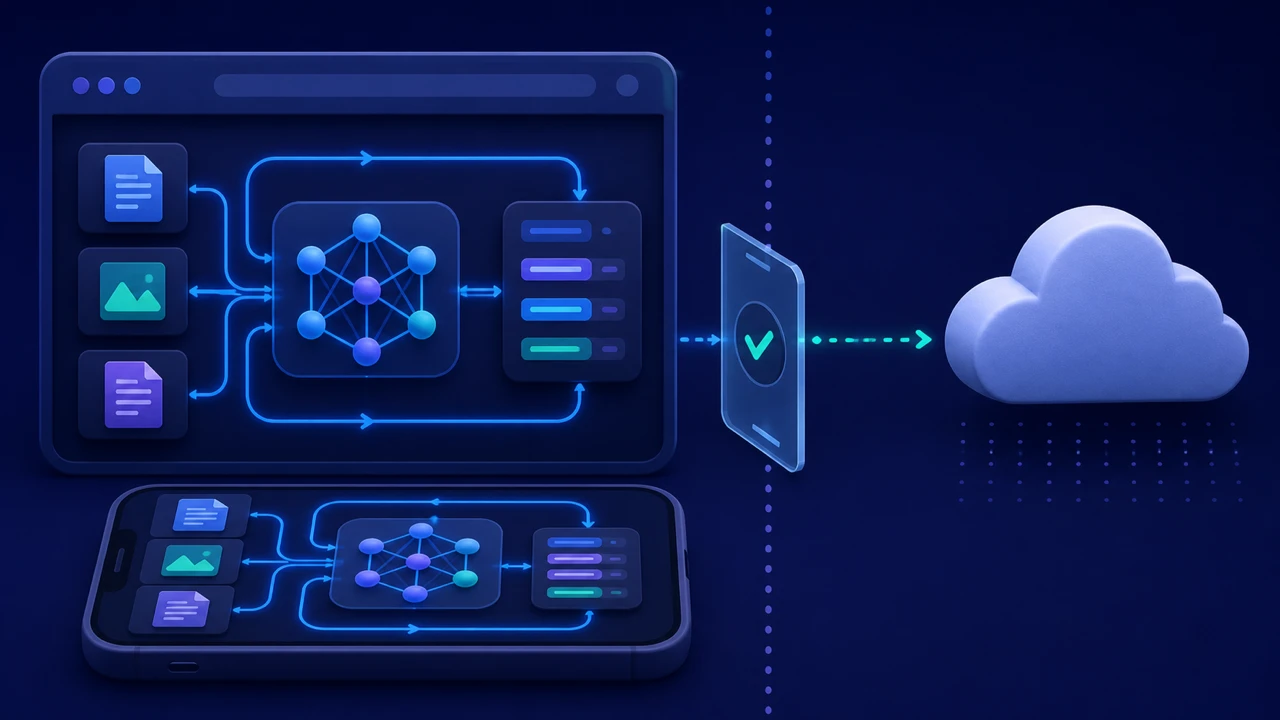
A local language model runs inference using the hardware in your device. The model files and runtime are downloaded first, then prompts can be processed without calling a hosted model API.
Google's Android LLM guidance describes models running completely on the device for text generation, natural-language retrieval, and document summarization. Smaller and quantized models make this practical on modern phones and laptops.
The local model will usually be less capable than the largest cloud systems. A fallback does not need to win a benchmark. It needs to handle useful work reliably.
For a developer, that might include:
- Explaining a stack trace copied from a local terminal
- Rewriting a function or configuration block
- Drafting tests from code you provide
- Summarizing downloaded API documentation
- Turning rough implementation notes into a checklist
- Comparing two approaches using constraints in the prompt
- Writing commit messages and documentation for later review
Current package versions, live documentation, remote repositories, and web research still need connectivity unless you saved the relevant material first.
Offline Access Covers More Than Network Outages
The obvious use case is a broken internet connection, but several situations produce the same result.
Remote work and travel
Trains, flights, rural areas, conferences with overloaded Wi-Fi, and international roaming can make cloud tools slow or unavailable. A model already stored on the phone or laptop can keep basic reasoning and writing tasks available.
Provider failures
Your connection can work while an AI provider has an outage. Login systems, billing services, model endpoints, or regional infrastructure can each fail independently.
Regional restrictions
Access Now's 2025 shutdown report documents restrictions associated with elections, protests, conflict, and examinations. A local model cannot reconnect you or retrieve current information. It can continue processing code, notes, and documents already stored on your device.
Sensitive code and documents
Some source code, customer data, contracts, incident notes, and unpublished plans should not be pasted into a hosted chatbot. Local inference provides a separate path for suitable tasks, provided the application genuinely keeps prompts and responses on the device.
That last condition matters. Building CuriousLM taught me that local storage and local inference are separate privacy claims, and both need to be tested.
Local AI Has Clear Limits
Offline models do not know what changed after their training data was collected. They cannot check a live status page, pull a dependency, inspect a remote repository, or confirm that generated code matches the latest API documentation.
Phone-friendly models also work under strict memory, storage, power, and thermal limits. A compact model may produce weaker code, miss edge cases, or follow long instructions less reliably than a frontier cloud model.
Use local output as a draft or reasoning aid. Run tests, inspect generated code, verify security-sensitive decisions, and consult trusted documentation when it is available.
The value comes from controlled availability, not from pretending a small model can do everything.
Build the Fallback Before You Need It
An app icon is not enough. The complete model and runtime must be present and tested before connectivity disappears.
- Choose a model that fits comfortably within your device's available memory and storage.
- Download the complete model over a reliable connection.
- Test the prompts that match your normal work.
- Enable airplane mode and repeat the test.
- Reopen the app to confirm the model remains selected.
- Save critical documentation, notes, and reference files locally.
- Learn which optional features still use the network.
- Retest after important app, model, or operating-system updates.
Keep the test realistic. Ask the model to explain a representative code sample, summarize a local document, and produce a small plan. Response quality and speed matter more than the parameter count printed on the download card.
Start With the Phone You Already Carry
A laptop can run larger models, but your phone is more likely to be available when a connection fails unexpectedly. A capable mobile setup gives you a private assistant for lightweight development work, planning, writing, and saved documents.
CuriousLM lets you download compatible models and use them for local chat, projects, and supported files without creating a CuriousLM account. Normal local-model prompts and responses are processed on the device. Model downloads, updates, optional web search, and confirmed reports can use the network, so the offline setup needs to be completed in advance.
For a broader explanation of the infrastructure tradeoff, read the personal local AI stack guide.
Download one model, switch off connectivity, and test the work you would want it to handle. A small verified fallback is more valuable than a list of cloud tools that all depend on the same connection.